You've heard the phrase "AI agent" more times than you can count lately. It shows up in every AI newsletter, every developer blog, every product launch announcement. But most explanations assume you already know what they're talking about.
Let's fix that. This guide explains AI agents from the ground up — what they are, how they actually work, what makes them different from the AI tools you already use, and how to go from zero to running your first agent workflow.
What Is an AI Agent?
A regular AI model — like ChatGPT or Claude in a chat window — responds to what you type. You ask a question, it answers. You ask another, it answers again. Each response is independent. The model doesn't take actions; it produces text.
An AI agent is different. An agent is an AI model that can:
- Take actions — run code, search the web, call an API, write to a database, send a message
- Make decisions — decide which action to take based on the current situation
- Work in a loop — check results, decide what to do next, and keep going until the task is done
The short version: a chatbot answers. An agent does things.
Here's a simple example. Ask a chatbot "what's the weather in New York?" and it might tell you what it knows from training — probably outdated. Ask an AI agent the same question and it will call a weather API, get the current forecast, and give you today's actual weather. The agent didn't just generate text — it took an action in the real world.
How AI Agents Actually Work
At their core, AI agents run on something called an agentic loop:
- The agent receives a task or a goal
- It thinks about what action to take next
- It takes that action (runs a tool, calls an API, writes some code)
- It reads the result
- It decides what to do next — and repeats from step 2 until the task is complete
The model at the center of the loop is still a language model — GPT-4, Claude, Llama, Gemini — but it's been given tools it can call. A web search tool. A code execution tool. A file reading tool. A database query tool. The model decides which tool to use and when, based on what the task requires.
This is why agents can handle complex, multi-step tasks that a chatbot can't. Give a chatbot "research 10 competitors and put it in a spreadsheet" and it'll hallucinate some names and format them as a list. Give an agent the same task and it'll search each competitor, pull their pricing pages, extract the key information, and write a formatted spreadsheet — because it can actually do each of those steps.
Agents vs. Chatbots: What's the Real Difference?
This is the question most people have but don't ask.
A chatbot is stateless — every response is based on the conversation so far, nothing else. It can't check your calendar. It can't send an email. It can't look something up right now. It's a very smart text predictor that's very good at conversational back-and-forth.
An agent has agency — the ability to act. The word isn't a coincidence. An agent can use tools, modify state, make decisions autonomously, and complete a multi-step workflow without you being involved at every step.
In practice, the line is blurring. ChatGPT with web search enabled is already a limited kind of agent. Claude with computer use is even more so. "Agent" has become a spectrum, not a category — and the more tools a model can access and the more autonomously it can use them, the more "agentic" it is.
Types of AI Agents
Not all agents work the same way. Here are the main patterns you'll encounter:
Single Agents
One model with a set of tools, working in a loop. Most beginner agent workflows are single agents. Give it a task, it works through it using whatever tools it has, it gives you a result. Simple, powerful, easy to understand.
Multi-Agent Systems
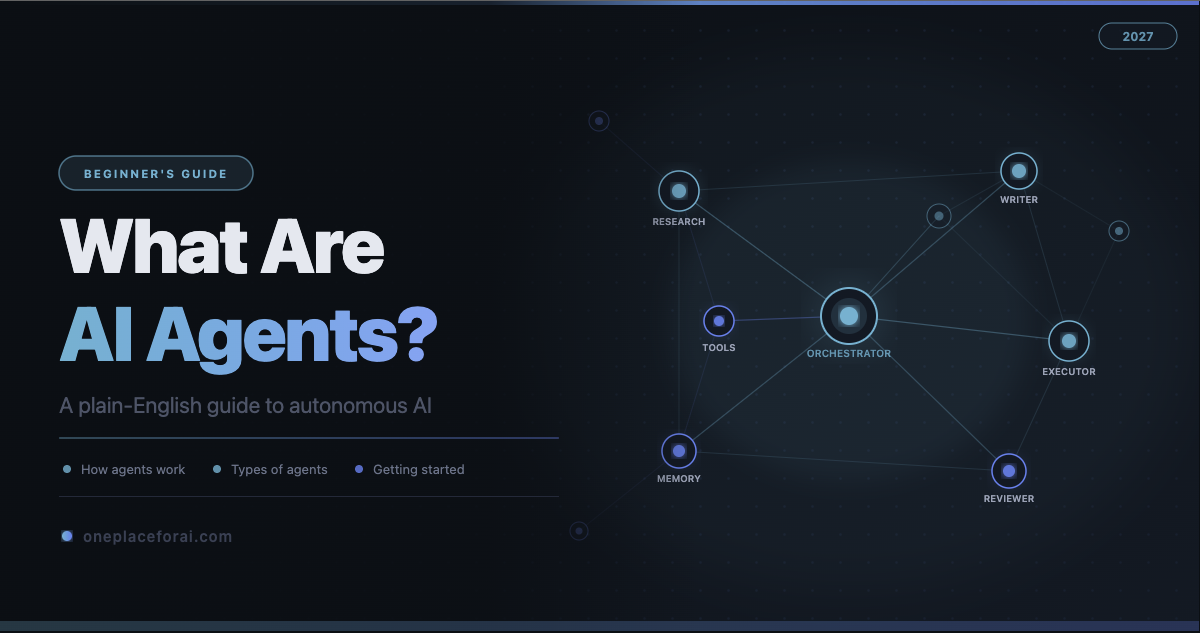
Multiple AI models working together, each with its own role. An orchestrator agent breaks a big task into subtasks and delegates them to specialist agents — a researcher, a writer, a reviewer, a coder. Each agent does what it does best; the orchestrator synthesizes the results.
This is where things get genuinely impressive. A single agent can do a lot. A well-designed team of agents can tackle problems that would take a human team days.
Autonomous vs. Human-in-the-Loop Agents
Autonomous agents run without interruption — they complete the entire task on their own. Human-in-the-loop agents pause at decision points and ask for approval before proceeding. For most real-world use cases, especially when agents are taking actions that are hard to reverse (sending emails, making purchases, deploying code), starting with human-in-the-loop is the safer choice.
What Are AI Agents Being Used For?
This is where it gets concrete. Here's what people are actually building with agents right now:
- Research and reporting — Agents that search dozens of sources, pull the relevant data, and write a formatted research report in minutes
- Customer support — Agents that can look up order history, process refunds, escalate to a human only when needed
- Software development — Coding agents (like Claude Code) that can write features, run tests, fix bugs, and iterate without constant human direction
- Data processing — Agents that clean, analyze, and summarize large datasets automatically on a schedule
- Content pipelines — Agents that monitor sources, extract insights, and draft content for human review
- Personal assistants — Agents that manage calendars, summarize emails, and draft replies based on your preferences
The common thread: tasks that are too complex for a chatbot (because they require real actions) but too repetitive and time-consuming for a human to do manually every time.
How to Get Started With AI Agents
If you want to build your first agent, here's a realistic path from zero:
Step 1: Understand the Building Blocks
Before writing any code, make sure you understand: what a language model is, what tool-calling means, and what the agentic loop looks like. You don't need to go deep on the math — you just need to understand the pattern. Our Hermes Agent Fundamentals learning track covers this in plain English with hands-on examples.
Step 2: Pick a Framework
Agent frameworks handle the agentic loop for you so you don't have to build it from scratch. Popular options:
- Hermes — Multi-agent architecture with a bulletin board for agent coordination. Best for building systems where multiple agents need to work together.
- LangGraph — Graph-based agent flows. Good for workflows with branching logic and explicit state.
- AutoGen (Microsoft) — Conversational multi-agent framework. Easy to get started, good for exploring the concept.
- CrewAI — Role-based agents with a simple setup. Good for beginners building team-based agents.
Step 3: Start Simple
Your first agent should do one thing with one tool. Don't build a 10-agent system that manages your entire business before you understand how a single agent handles a web search. Start with: one model, one tool (search or code execution), one task. Understand what happens at each step. Then expand.
Step 4: Add Tools Gradually
Each new tool an agent can use multiplies what it can do. Add them one at a time, test each one, understand what the agent does with it. The risk with agent systems is they do unexpected things — the better you understand each tool's behavior, the more predictable your agents become.
Step 5: Set Guardrails Before Going Autonomous
Before letting any agent run fully autonomously, define what it should never do. Agents are powerful precisely because they can take real actions — and that means they can take the wrong action, at scale, fast. Build in checkpoints, logging, and approval steps. You can remove guardrails as you build confidence in the system.
Where to Learn More
AI agents are one of the fastest-moving areas in the entire field right now. What's experimental today becomes standard practice in months. The best time to understand this technology is before it's everywhere — not after.
Our Hermes Agent Fundamentals learning track is the most-viewed course on OnePlaceForAI, with over 85,000 views from developers who wanted to understand agents at a practical level. It covers the theory and the hands-on implementation, and it's completely free.
If you're ready to explore the tools developers are building agents with, browse our AI Tools Directory — we cover the agent frameworks, automation tools, and AI models that power most of what's being built right now.
Agents aren't the future of AI — they're the present. And once you understand how they work, you'll start seeing problems they can solve everywhere.