🎬 Video & Audio · Paid

VisoMaster Studio

Face swap for photos, video and live camera on Mac and Windows.

28
Views
0
Saves

⚡ Test drive · free, no signup

4 prompts to try in VisoMaster Studio

Video prompts picked from the library for what VisoMaster Studio does. Fill in the blanks, then take one with you.

Make it yours 0 of 3 filled
write-full-youtube-documentary-script.txt Any
Write a full documentary-style YouTube video script for the following:

Subject: [the person, event, company, phenomenon, or idea being documented]
Central argument or thesis: [the specific angle — not just "a documentary about X" but the specific story you are telling]
Target length: [15 / 20 / 30 / 45 minutes]
Channel style: [investigative journalism / educational explainer / human interest story / historical deep dive / conspiracy or mystery angle]
Audience: [general / niche enthusiasts / academic / mainstream]
Tone: [serious and measured / urgent / empathetic / suspenseful / celebratory]
Existing knowledge of audience: [assume no knowledge / some familiarity / enthusiast level]
Sources or research notes: [paste key facts, quotes, dates, names you want included]

Script structure:

COLD OPEN (first 60-90 seconds):
- Drop into the most dramatic or intriguing moment
- No titles, no introduction — start in the middle of something
- End on a question or tension that demands the viewer stays

ACT 1 — CONTEXT (20% of runtime):
- Who/what/where/when
- Why this story matters
- The world before the central event or subject
- Introduce key figures with vivid characterisation

ACT 2 — ESCALATION (40% of runtime):
- The core events in narrative order
- Complications and turning points
- Conflicting perspectives
- The stakes becoming clear

ACT 3 — CLIMAX AND FALLOUT (25% of runtime):
- The pivotal moment
- Consequences and aftermath
- Human cost or impact

ACT 4 — REFLECTION (15% of runtime):
- What it means
- What we learned
- Where things stand now
- Final image that resonates

FORMAT THROUGHOUT:
- [B-ROLL: description of footage to show]
- [ARCHIVE: description of archival material]
- [INTERVIEW: suggested interviewee and question]
- Narration in a natural, spoken voice — not academic
- Chapter titles for YouTube timestamps
- End screen CTA
Picked by category. Browse the whole library if none of these fit.

About VisoMaster Studio

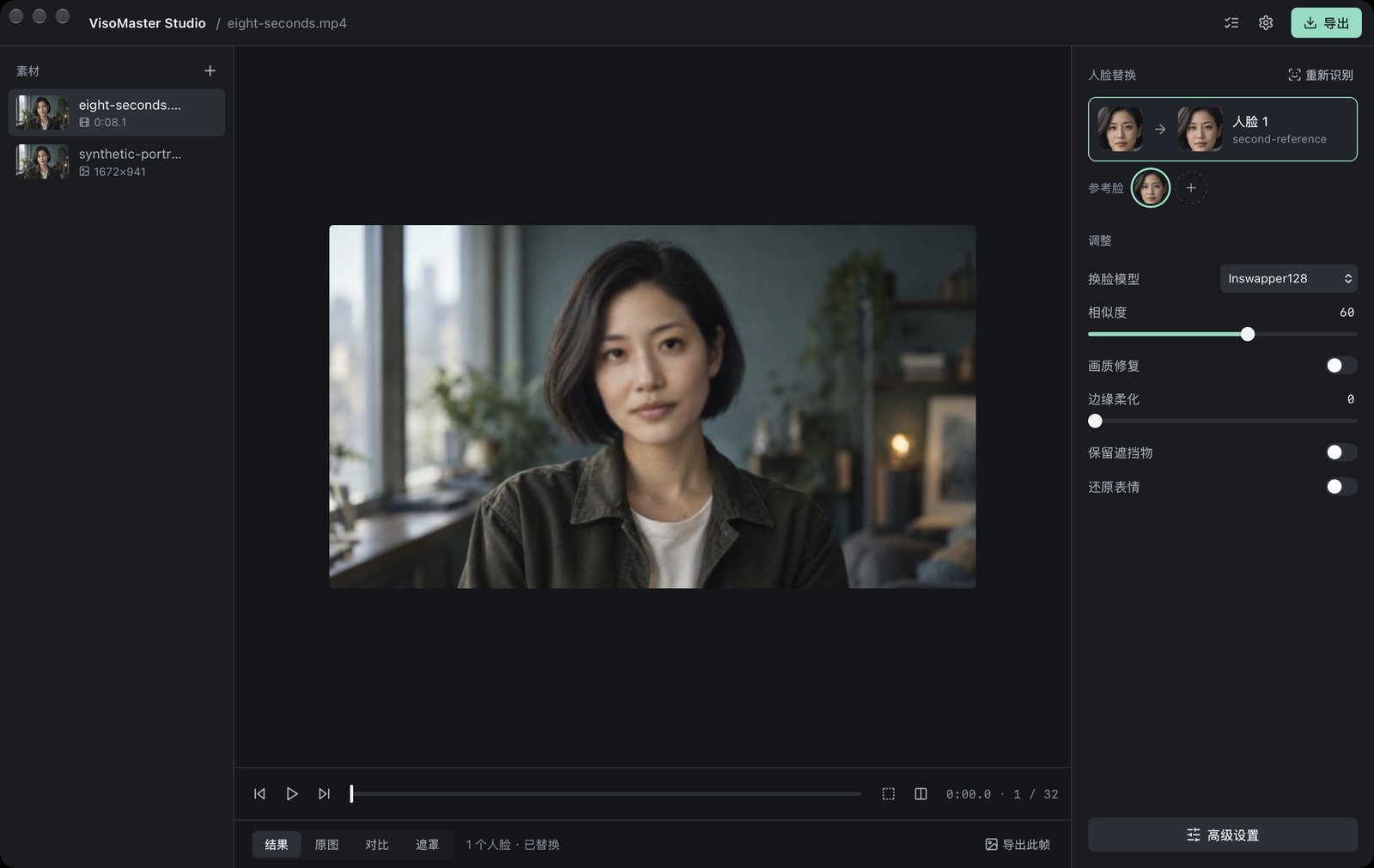
VisoMaster Studio packages the VisoMaster Fusion face-swap engine into a single-window desktop app for Mac and Windows, with the runtime and FFmpeg included and all 427 advanced parameters kept behind an Advanced panel. Media is processed locally; the desktop source is GPL-3.0 and the paid download is the signed, ready-to-run build.

Updated 11/18/2026

Key Features

  • Swap anything — images, whole videos, ranges or segments, with audio kept
  • Ten-plus swap models — Inswapper128, SimSwap512, GhostFace v1–v3, CSCS, AlphaFace and InStyleSwapper256
  • Face restoration and upscaling — GFPGAN, CodeFormer, GPEN, RestoreFormer++, VQFR, Real-ESRGAN, BSRGAN and UltraSharp
  • Live mode — swap from a camera and import your own DeepFaceLive .dfm models
  • One workspace — media, preview and face mapping together, with every Fusion parameter searchable in Advanced
  • Verified model downloads — models fetch once from official sources with resume and SHA-256 checks
  • Runs locally — no account needed to work and media stays on your computer
  • Projects and presets — save in the Fusion workspace format and manage merged reference faces

Pricing Structure

  • VisoMaster Studio — $19.99 one time — Signed Mac + Windows installers; source is GPL-3.0 and free

See current plans at VisoMaster Studio.

Why People Use It

The underlying VisoMaster Fusion project is capable but installing it means Python, Conda and model wrangling. This build ships an installer with the runtime and FFmpeg already in place, which is why people who swap faces regularly pay for it. Nothing is uploaded, so clips stay on your own machine.

See VisoMaster Studio in Action

VisoMaster Studio screenshot

Reviews

⭐

No reviews yet. Be the first!